Timeline & Scheduling
Create a detailed timeline for your special day.
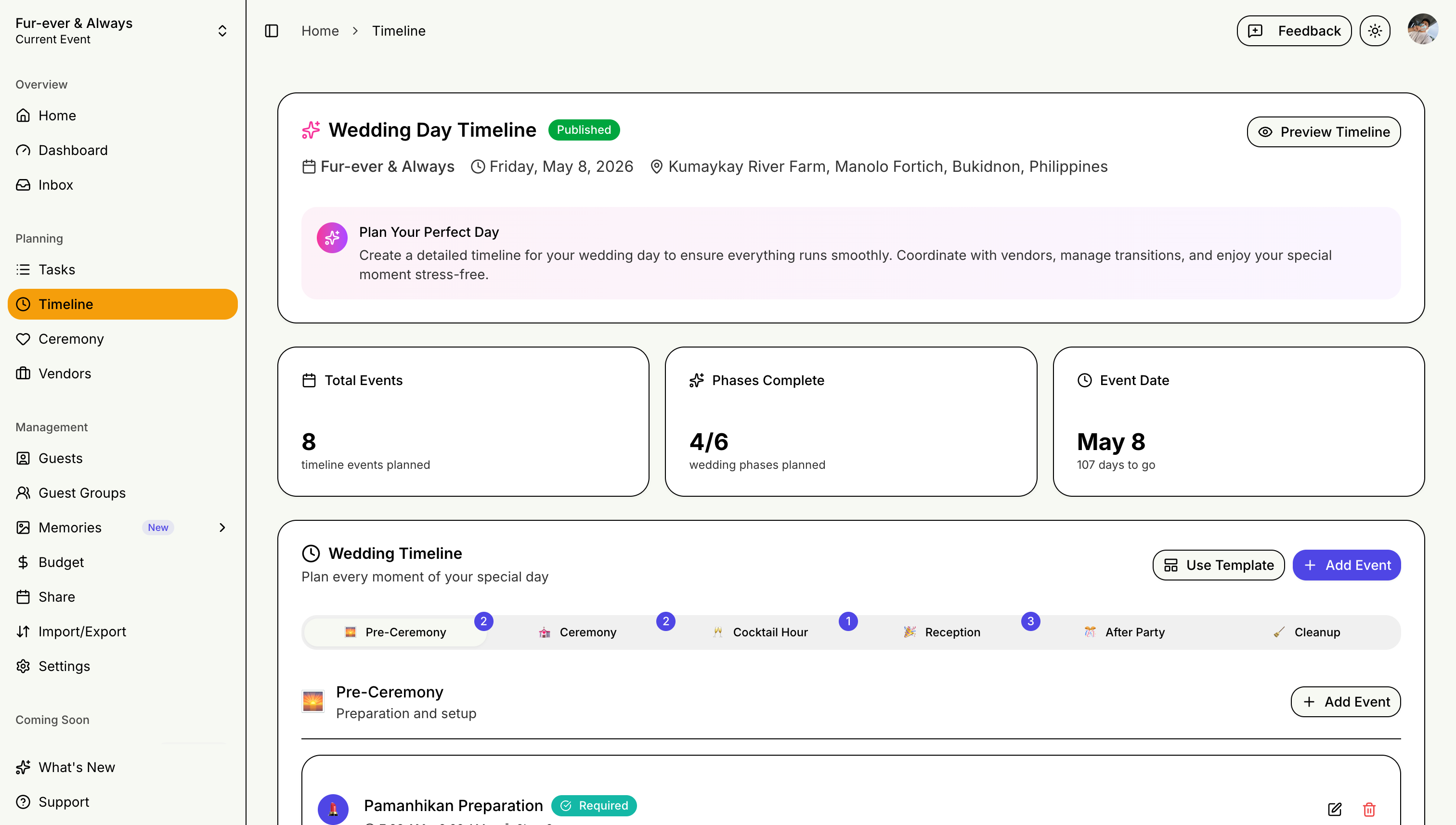
Creating Your Timeline
Event Day Schedule
Plan every moment:
- Ceremony start time
- Reception timeline
- Key moments (first dance, speeches)
- Vendor arrivals
Planning Timeline
Track milestones:
- Booking deadlines
- Payment due dates
- Final confirmations
- Rehearsal schedules
Timeline Features
Visual Timeline
- See your day at a glance
- Color-coded events
- Duration indicators
- Inline editing — adjust times and details directly on the timeline
Templates
Start from event-type-aware templates instead of a blank page — phases are pre-filled based on your event type (wedding, birthday, corporate, and more), then adjust them to fit your day.
Conflict Alerts
STEVEN automatically flags overlapping timeline items so you can spot scheduling conflicts before the big day.
Ceremony Sync
Building your ceremony program in the Ceremony planner? Use "Sync to Timeline" to push program elements straight into your day-of timeline — no double entry.
Printable Preview
Open the Timeline Preview for a clean, printable version of your schedule:
- Choose from font presets to match your event's style
- Print for vendors, coordinators, and the wedding party
Sharing
- Share with vendors
- Print for the day
- Export to calendar
A detailed timeline keeps everyone on the same page!