Guest Management
Managing your guest list is the heart of event planning! STEVEN makes it easy to organize, track, and communicate with all your guests.
Getting Started with Guests
Accessing Guest Management
From your dashboard:
- Click "Guests" in the main navigation
- Or use the "Add Guests" button on empty dashboard
Your Guest List Overview
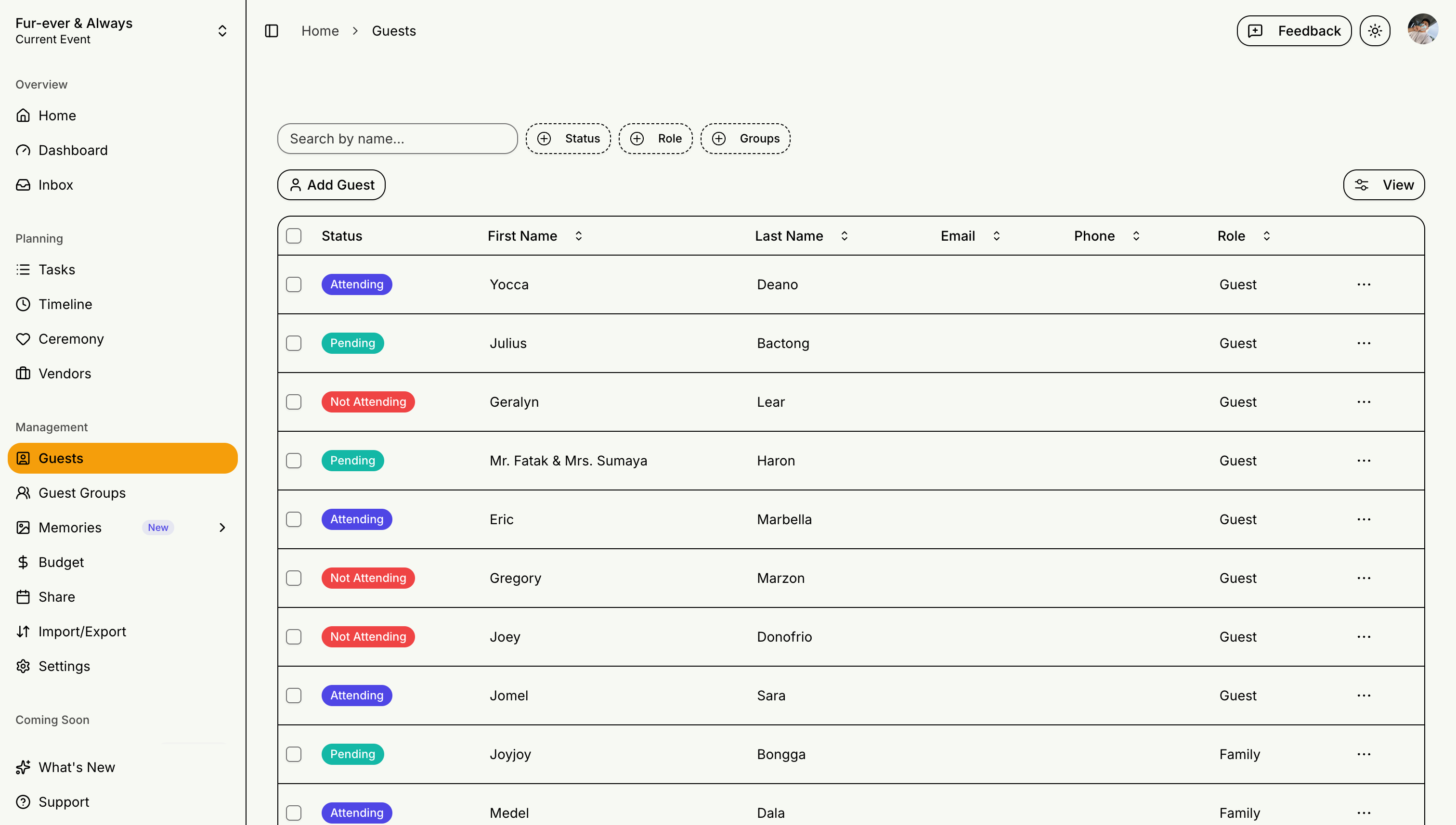
The guest management page shows:
- Total guest count vs your plan limit
- RSVP status breakdown
- Search and filter options
- Bulk action tools
Adding Guests
Method 1: Add Individual Guests
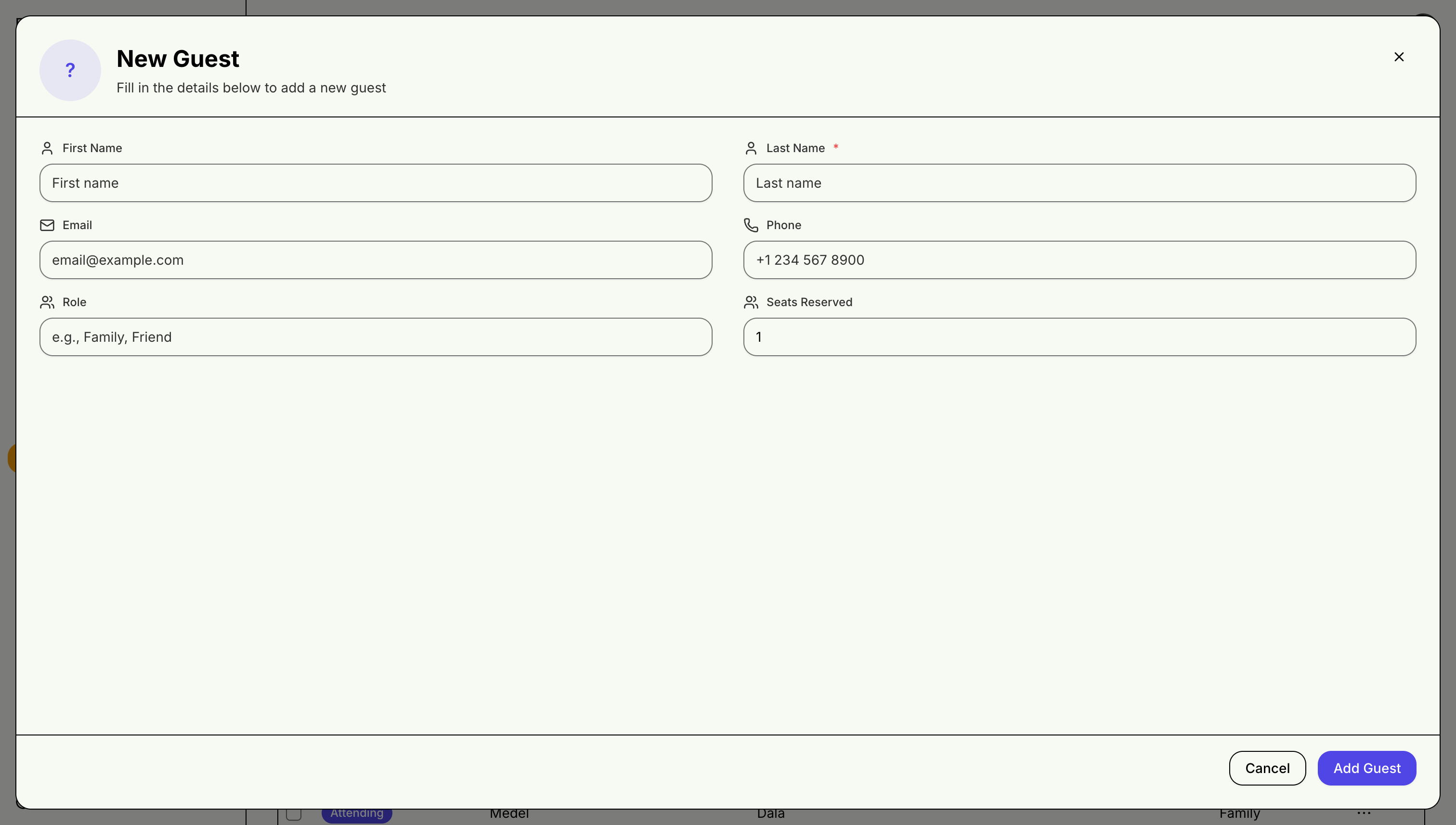
- Click "Add Guest" button
- Fill in guest information (name, email, phone)
- Set guest role and family side
- Assign to guest groups using the group picker in the dialog
- Configure plus-one and dietary restrictions
- Save guest
Method 2: Import from Spreadsheet
Perfect for large guest lists or when clients provide their own spreadsheets:
- Click "Import Guests" button
- Upload your CSV or Excel file (any format works)
- Smart column mapping auto-detects common variations like "First Name", "first_name", or "Email Address"
- Preview the mapped data before importing
- Review and confirm import
Organizing with Guest Groups
Group related guests (families, friend circles, work colleagues) to manage them together:
- Assign guests to groups from the guest dialog, or manage groups on the Guest Groups page
- Each group shows its own RSVP stats (attending, pending, declined)
- See the Guest Groups guide for details
Day-of Check-In
On the day of your event, track arrivals directly from the guest list:
- Open any guest's detail dialog and toggle their check-in status
- Guests can also check themselves in from their personal guest card — see RSVP System for the guest-side flow
- The dashboard shows total checked-in guests at a glance
Ceremony-Specific Features
Guest Roles
- Family Members: Immediate and extended family
- Principal Sponsors: Godparents and honored guests
- Wedding Party: Bridesmaids, groomsmen
- Special Sponsors: Veil, cord, coin sponsors
Family Side Tracking
- Bride's Side
- Groom's Side
- Both Sides
Plan Limitations
Guest Limits by Plan
- STEVEN Starter: 50 guests maximum
- STEVEN Plus: 200 guests maximum
- STEVEN Pro: 500 guests per event
Your guest list is the foundation of great event planning. Take time to organize it well!