RSVP System
Easily collect and track guest responses with STEVEN's built-in RSVP system.

Customizing Your RSVP Page
Accessing the Editor
- Go to Share in your event sidebar
- Click "Preview or Edit RSVP Page"
- Use the toolbar at the bottom to customize
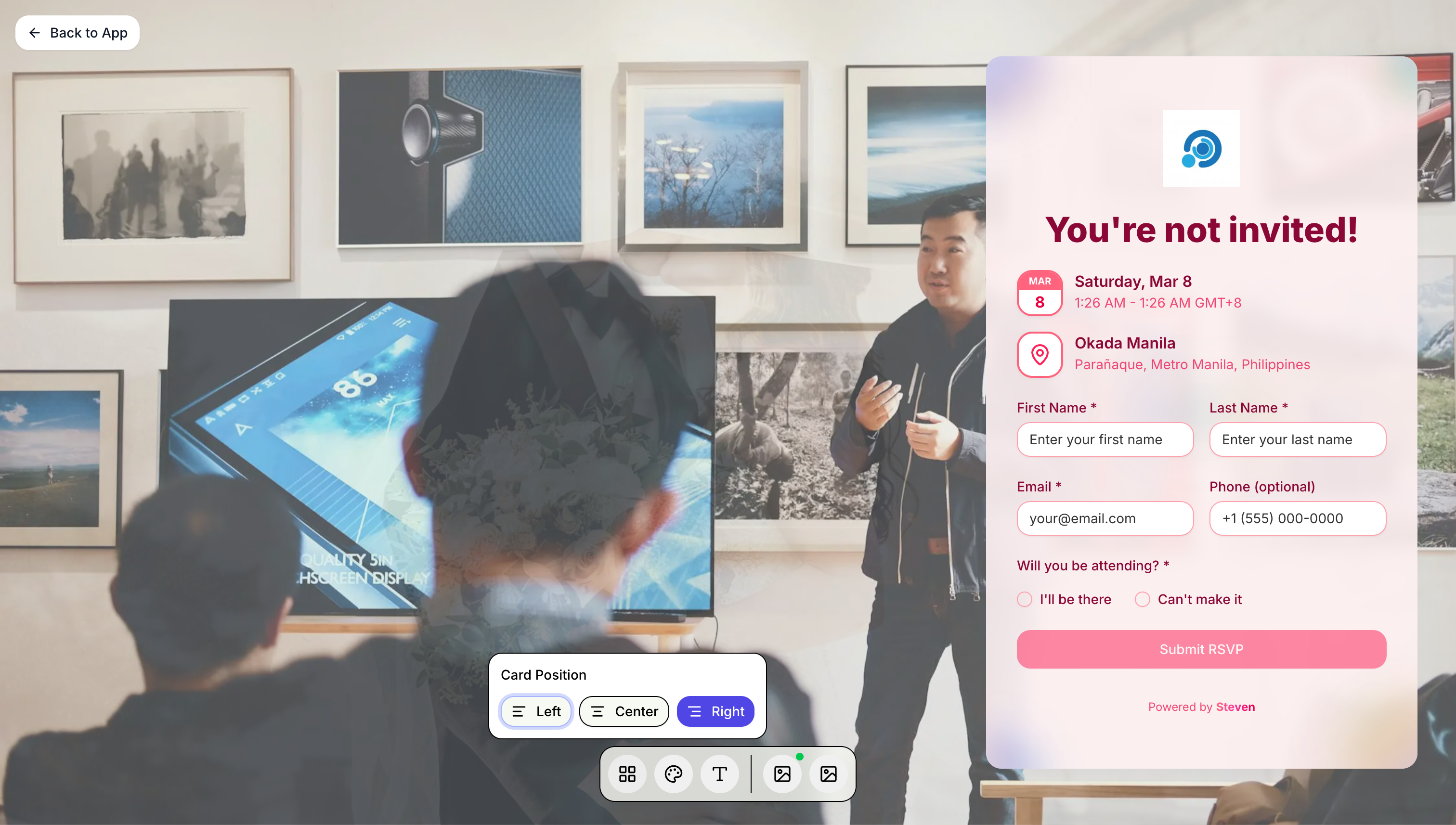
Card Position
Choose where your RSVP card appears on the page:
- Left - Card on the left side
- Center - Card centered
- Right - Card on the right side (default)
Color Themes
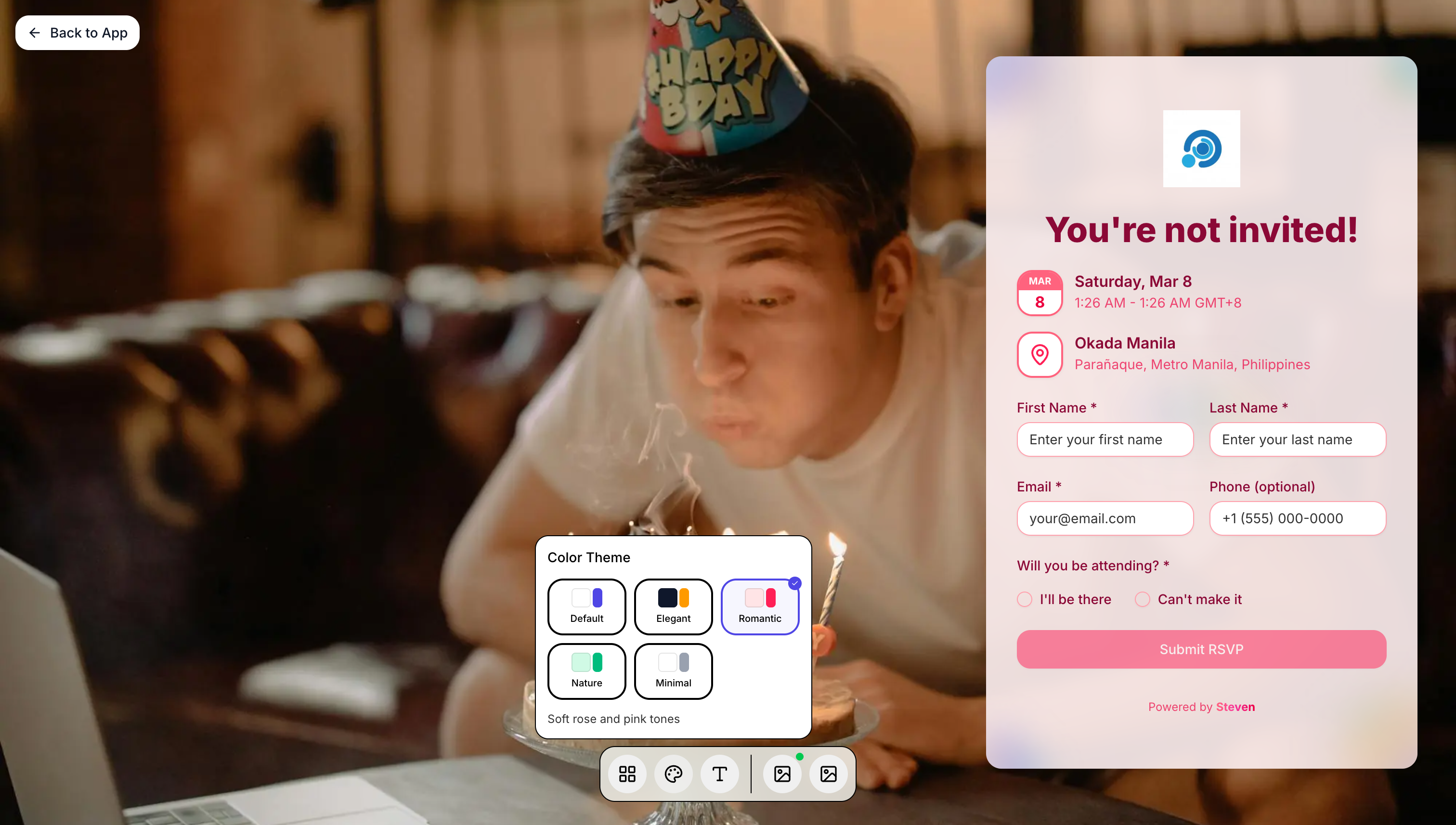
Select from pre-designed color palettes:
- Default - Soft rose and pink tones
- Elegant - Dark and sophisticated
- Romantic - Warm pink gradients
- Nature - Fresh green accents
- Minimal - Clean and subtle
Background & Logo
- Upload a custom background image
- Add your event logo
- Changes preview in real-time
RSVP Modes
Choose how guests will respond to your invitation in Settings → RSVP.
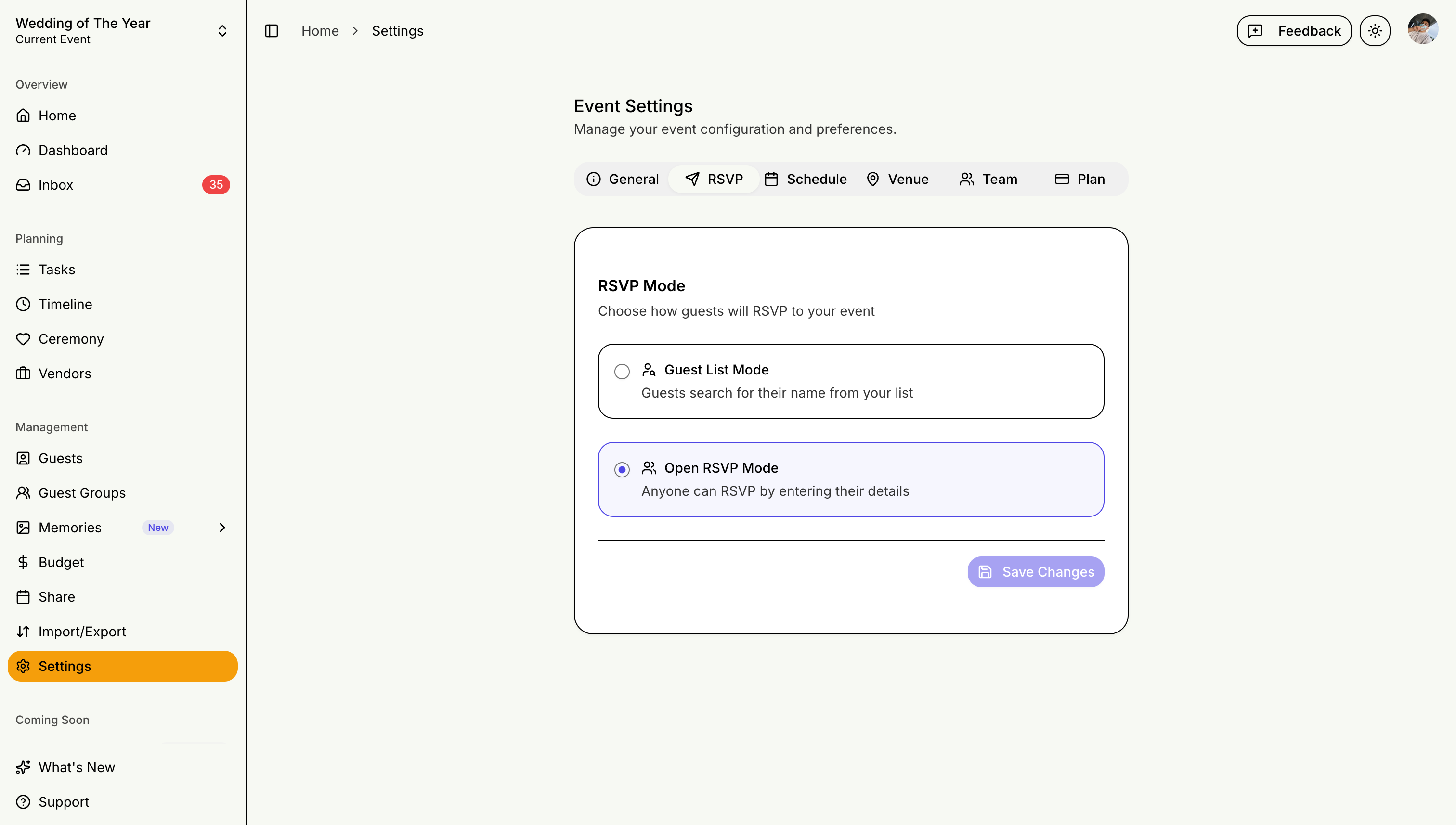
Guest List Mode
Best for traditional weddings where you have a fixed guest list:
- Guests search for their name from your pre-loaded list
- Only invited guests can RSVP
- Prevents uninvited responses
- Ideal for formal events with strict headcounts
Open RSVP Mode
Best for casual events or when building your guest list:
- Anyone can RSVP by entering their details
- New guests are automatically added to your list
- Great for save-the-dates or informal gatherings
- Useful when you don't have complete guest information yet
Enabling RSVP Collection
Requirements
- STEVEN Plus or Pro subscription
- Published event
- Guest email addresses (optional)
Publishing Your Event
- Complete event details
- Click "Publish Event"
- Your RSVP link is generated
Sharing Your RSVP Link
Sharing Options
- Copy Link: Share via text, email, or social media
- QR Code: Print on invitations
- Email Invitations: Send directly from STEVEN
Tracking Responses
Response Status
- Attending: Confirmed guests
- Not Attending: Declined
- Pending: No response yet
- Maybe: Uncertain
Real-Time Updates
- Dashboard updates automatically
- Email notifications for new responses
- Response rate tracking
The Guest Card
When a guest finds their name (Guest List Mode) or registers (Open RSVP Mode), they get a personal guest card — a private link that works as their digital invitation:
- View and update their RSVP — attendance, dietary notes, and seats
- Event details — date, time, and venue at a glance
- Add to calendar — Google, Apple, Yahoo, or Outlook
- Save the card — download it as an image for quick access at the venue
Each guest card link is unique and private. Guests should keep their own link and not share it.
Day-of Check-In (Venue QR)
Turn your RSVP QR code into a check-in station on the day of the event:
How It Works
- Print or display your event QR code at the venue entrance (download it from the Share your event page)
- Guests scan the code and search for their name — or open their saved guest card link directly
- On the event day, the guest card shows an "I've arrived" check-in button
- Checking in records their arrival time and displays their table assignment (if you use seating)
Host-Side Tracking
- The dashboard shows the running checked-in total
- You can also check guests in (or undo a check-in) yourself from the guest detail dialog on the Guests page
Follow up with pending guests as your RSVP deadline approaches!