Ask Steven AI Assistant
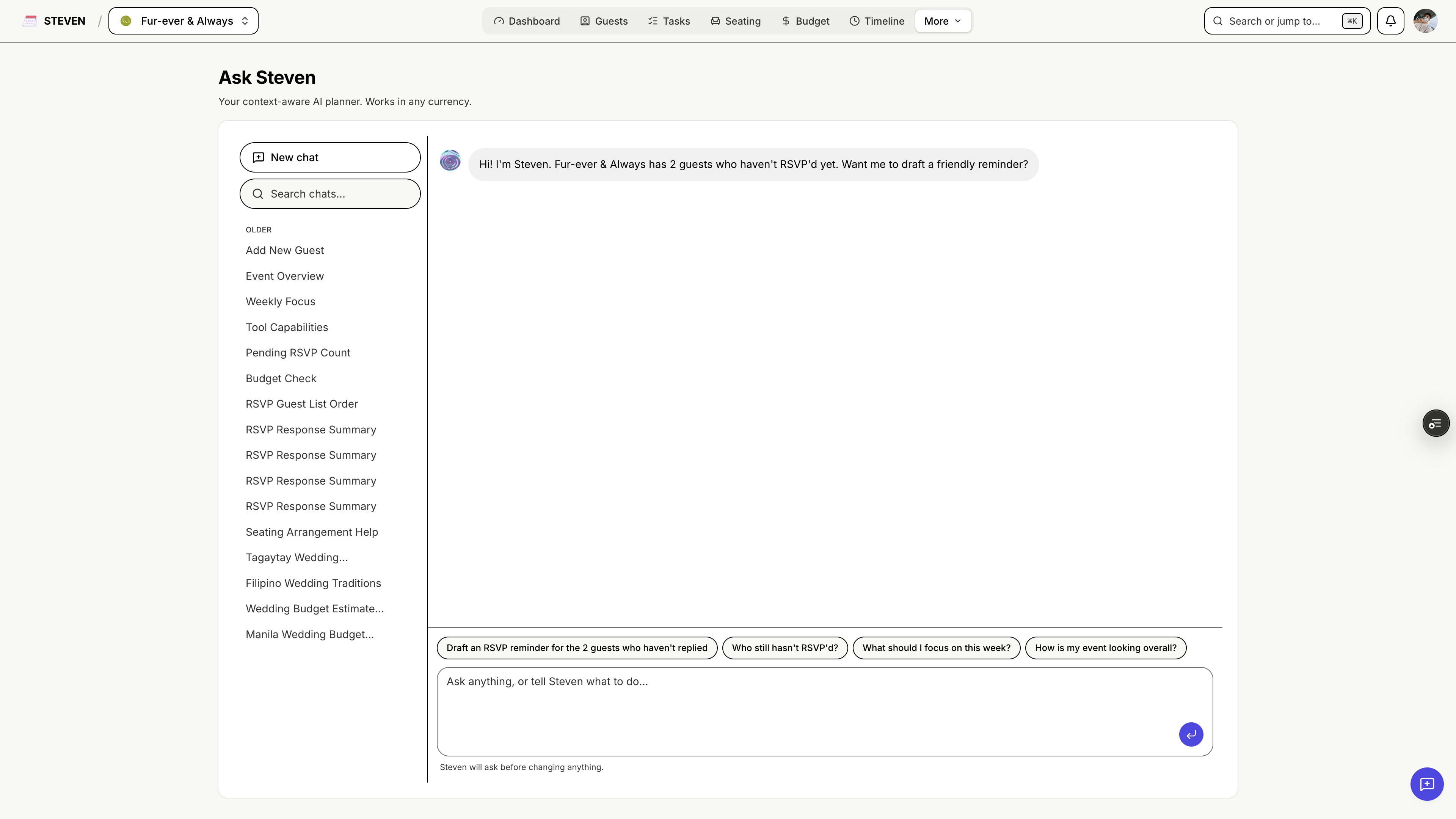
Ask Steven is your AI planning assistant, built right into your event. It knows your guest list, budget, tasks, vendors, and timeline — and it can take action for you, with your approval.
Getting Started
Accessing Ask Steven
- Click Ask Steven in your event navigation
- Ask Steven requires a paid plan (STEVEN Plus or Pro)
- The assistant can be enabled or disabled per event in Settings → AI
How a Conversation Works
- Type a question or request in plain language
- Steven answers using your real event data
- When you ask Steven to change something, it shows an approval card first — nothing is changed until you confirm
What Steven Can Look Up
Steven answers questions instantly from your event data:
- Guests — search your guest list, check RSVP statuses
- Budget — totals, spending by category, remaining balance
- Tasks — what's open, what's overdue
- Vendors — your vendor list and details
- Timeline — your day-of schedule
- Guest groups — groups and their members
Try: "How many guests haven't responded yet?", "How much have I spent on catering?", "What tasks are due this week?"
What Steven Can Do (With Your Approval)
Steven can also make changes — each one is shown for your approval before it happens:
- Guests: add a guest, add many guests at once (up to 100 in one go), remove a guest
- Tasks: create tasks, update status, delete tasks
- Budget: set your total budget, manage category caps, log or remove expenses
- Vendors: add vendors
- Timeline: add timeline items
- Guest groups: create groups, add or remove members
Try: "Add my college friends: Anna Cruz, Ben Reyes, and Carla Santos", "Log a ₱25,000 deposit to the photographer", "Create a task to follow up with the caterer next Friday".
Note: bulk guest adding is available to event owners only — collaborators can use all other actions.
Planning Advice
Beyond your own data, Steven draws on real-world wedding planning experience to answer general questions — etiquette, budgeting rules of thumb, timeline norms, and more.
Conversations & History
- Previous conversations are saved in the sidebar with auto-generated titles
- Pick up where you left off anytime
AI Credits
Each plan includes AI credits that refresh every 30 days:
| Plan | AI credits / 30 days |
|---|---|
| STEVEN Starter | No AI access |
| STEVEN Plus | 30 |
| STEVEN Pro | 100 |
A credit meter in the chat shows how many credits you have left in the current period.
Think of Steven as the planning partner who never forgets a detail — just ask!